
"My Dad has an Apple Watch. It has fall detection. We're covered, right?"
We hear this question a lot. And the answer is: it depends on what you mean by "covered."
Apple Watch (and Samsung Galaxy Watch) fall detection is genuinely impressive technology. For some families, it's a useful part of the safety picture. But it works very differently from a dedicated safety system, and understanding the gaps matters before you rely on it as your parent's only protection.
How Apple Watch Fall Detection Works
Apple's Fall Detection support page says Apple Watch can detect a hard fall, alert the wearer, and call emergency services if the wearer does not respond. In plain English, the watch is looking for a sudden movement pattern that looks like a hard fall. When it detects one, it:
- Vibrates on the wearer's wrist and sounds an alert
- Displays a prompt asking if they're OK
- If the wearer doesn't respond within about a minute, it automatically calls emergency services
- Sends the wearer's location to their emergency contacts
Apple says Fall Detection turns on automatically if the user entered an age of 55 or over when setting up Apple Watch or the Health app. For younger users, it needs to be turned on manually.
Samsung Galaxy Watch has a similar feature called Hard Fall Detection, which can send an SOS message to an emergency contact with location and allow calls to emergency contacts.
What It Does Well
Immediate response to detected falls. When it works, the response time is excellent. The watch detects the fall, and within 60 seconds of no response, emergency services are called. For someone who falls and is unable to press a button or call for help, that automatic call can be life-saving.
Always with them (in theory). Unlike a pendant that stays on the nightstand, a smartwatch is something many people wear throughout the day as part of their normal routine. There's no extra device to remember.
No monthly monitoring fee. Unlike traditional medical alert services ($30-$50/month), the fall detection feature is included with the watch. The watch itself isn't cheap, but there's no ongoing cost for the fall detection specifically.
Location sharing. If a fall is detected, the watch sends the wearer's location. For a parent who falls while out walking or in the garden, this is genuinely useful.
Where It Falls Short
The charging problem
This is the biggest gap, and it's structural. An Apple Watch needs to be charged every day, sometimes twice a day for older models. A Galaxy Watch is similar.
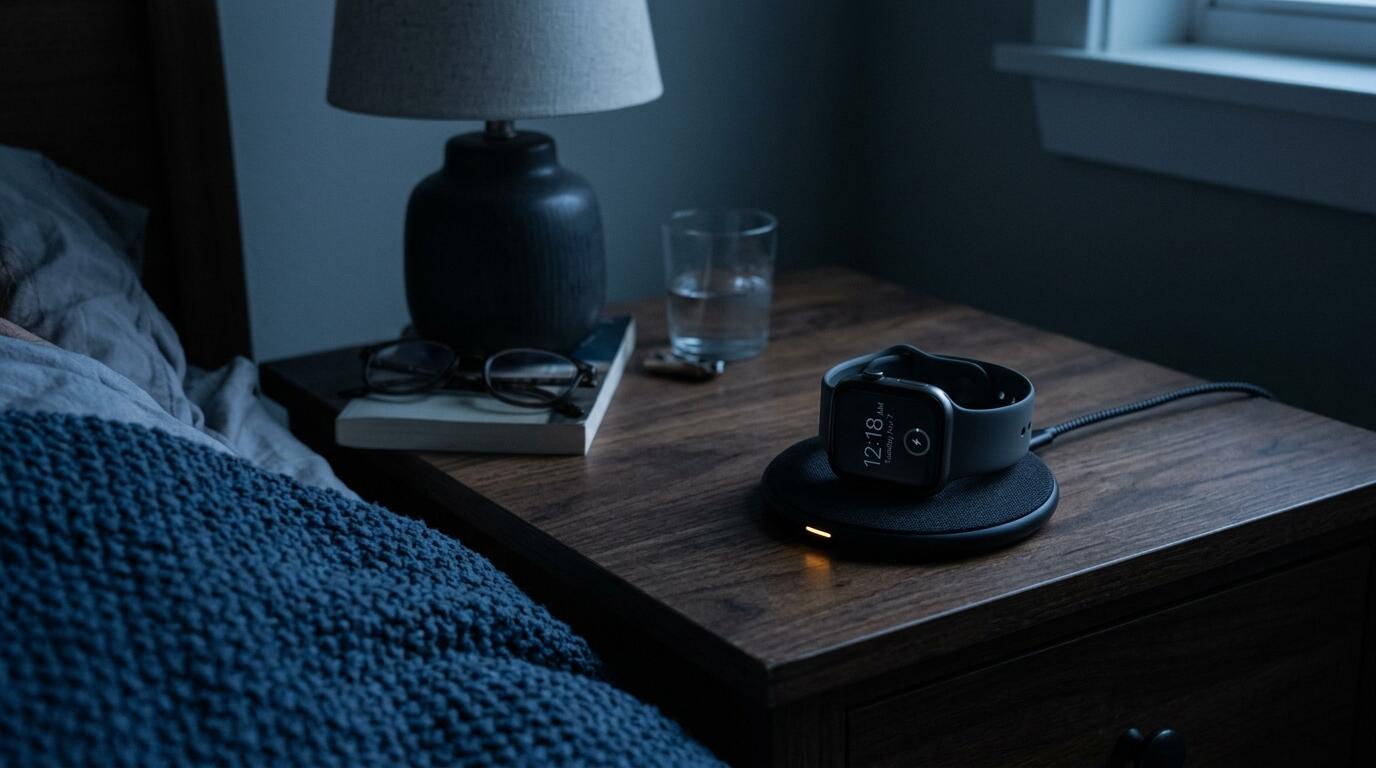
That means every night, while your parent sleeps, the watch is on a charger. Middle-of-the-night falls, getting up to use the bathroom, stumbling in the dark, are among the most common and most dangerous falls for older adults. The watch is on the bedside table when it's needed most.
This isn't a fixable problem. It's a fundamental constraint of smartwatch battery technology. Medical alert pendants using coin batteries last months or years. A smartwatch lasts hours.
The detection problem
Smartwatch fall detection is designed to detect hard falls, the kind where someone suddenly drops from standing height. It uses motion patterns to distinguish a fall from normal activity like sitting down or raising your hand.
What it's less reliable at detecting:
- Slow falls. Sliding down a wall. Gradually collapsing. Sinking to the floor from a chair. These don't produce the sharp deceleration the algorithm expects.
- Falls onto soft surfaces. Landing on a bed, carpet, or couch produces a different impact signature than landing on a hard floor.
- Falls where the arm is trapped. If your parent falls and their watch arm is pinned underneath them, the sensor data may not register a fall pattern.
- Non-fall emergencies. A stroke, a heart attack, a diabetic episode, severe dizziness, sudden weakness. These are emergencies where your parent might end up on the floor but without the motion pattern of a fall.
Apple says plainly that Apple Watch cannot detect all falls. Samsung says the same for Galaxy Watch. That matters more than any single lab test, because the family decision is about whether you can rely on a watch as the only layer.
The false alarm problem
On the other side, smartwatches can trigger false alarms. Sitting down hard, clapping hands, dropping the watch, and certain exercises can all trigger fall detection alerts. Frequent false alarms erode trust, and some users disable the feature entirely after too many false triggers.
For an older parent who isn't tech-savvy, a false alarm that escalates can be embarrassing and stressful. After two or three false alarms, they may turn off fall detection or stop wearing the watch altogether.
The "wearing it" problem
A smartwatch only works when it's being worn. Unlike a pendant (which many people also don't wear consistently), a smartwatch has additional reasons to be off the wrist:
- Charging (daily, as discussed)
- Skin irritation (common with older skin, especially in hot weather)
- Unfamiliarity (if your parent isn't a regular watch wearer, they may not develop the habit)
- Complexity (notifications, apps, and alerts can be confusing and annoying)
- Water avoidance (despite being water-resistant, some people remove watches before showering)
The same compliance issues that affect pendants affect smartwatches. If your parent doesn't want to wear a device, a more expensive device with more features doesn't change the underlying objection.
The connectivity problem
Apple Watch fall detection requires either: - The paired iPhone to be nearby (for GPS models), or - An active cellular connection (for GPS + Cellular models, which require a separate data plan)
If your parent's iPhone is in another room, or if they have a GPS-only model and are in the garden or garage, the watch may not be able to call for help. Cellular models solve this but add an ongoing monthly cost.
In rural areas with poor mobile coverage, this can be a real limitation.
What a Dedicated Safety Net Does Differently
A passive safety net like Puffin Guard approaches the problem from the opposite direction. Instead of trying to detect a specific event (a fall), it monitors for the absence of normal activity.
The sensor sits in the home and detects everyday movement. As long as your parent is up and about during their normal hours, nothing happens. If expected movement isn't detected, the system contacts your parent first. If they respond, everything resets. If they can't respond, their trusted contacts get a call.
This means:
- No charging required. Puffin Guard runs on AA batteries that last over a year. No nightly charging gap.
- Nothing to wear. The sensor sits on a shelf. Your parent doesn't interact with it. There's nothing to remove, forget, or refuse.
- Covers the gaps a watch can't. Overnight while it's charging. Days when it's not being worn. Emergencies that don't look like a fall. Puffin Guard doesn't detect falls, but it checks whether expected movement has happened at home and follows up if it has not. Many families use both: the watch for immediate fall response during the day, and Puffin Guard as a daily safety net that works around the clock without needing to be worn or charged.
- Your family won't get false alarms. The system contacts your parent first before alerting anyone else. If they're fine, they respond and the alert is resolved quietly. You only hear about it if something is genuinely wrong.
The trade-off is response time. An Apple Watch that detects a fall can call emergency services within a minute. A passive safety net detects the absence of activity over a longer period (hours, not seconds). It's not designed to replace immediate fall response. It's designed to catch the situations where immediate response fails or isn't available.
The Best Approach for Most Families
These aren't competing solutions. They cover different failure modes.
| Apple Watch | Passive Safety Net | |
|---|---|---|
| Detects hard falls | Yes (when worn) | No (detects absence of activity) |
| Works at night | No (charging) | Yes |
| Works when not worn | No | Yes (nothing to wear) |
| Detects non-fall emergencies | No | Yes |
| Response time | Seconds | Hours |
| Requires charging | Daily | Yearly (battery swap) |
| Monthly cost | $0 (or ~$10 for cellular) | $0 first year, then $19.99/mo |
If your parent already wears an Apple Watch and likes it, keep it. It provides fast response to detectable falls during the day. Add a passive safety net to cover the gaps: overnight, charging periods, and the events the watch can't detect.
If your parent doesn't wear a watch consistently, a passive safety net is likely the more reliable primary safety layer. It works regardless of what your parent is or isn't wearing.
If your parent refuses all devices, a passive safety net is often the only option they'll accept. There's nothing to wear, nothing to learn, and nothing to refuse. We've written about what to do when your parent refuses to be monitored if this sounds familiar.
For a broader comparison of all the options, including pendants, smart home devices, and professional care, see our guide on how to check on an elderly parent who lives alone.
Puffin Guard fills the gaps that smartwatch fall detection can't cover. No charging, no wearables, no false alarms. Your parent controls the system. You only hear from us if something seems wrong. See how it works →
Sources: Apple Support: Use Fall Detection with Apple Watch and Samsung Australia: Activate Hard Fall Detection on my Samsung Watch.
Puffin Guard is a private safety net for people living independently. One sensor, no cameras, no wearables. Learn more.